One pool, shared
Anthropic shares usage limits across Claude and Claude Code. Your chats, your own Claude Code use and your Nevs all draw from the same allowance.
Claude for small business
Already pay for Claude? Nev runs Claude Code on your Mac with your own sign-in, and turns it into a small business team: a manager who plans the work and Nevs who research, write, build and check it. No extra AI bill, and it asks before anything goes out.
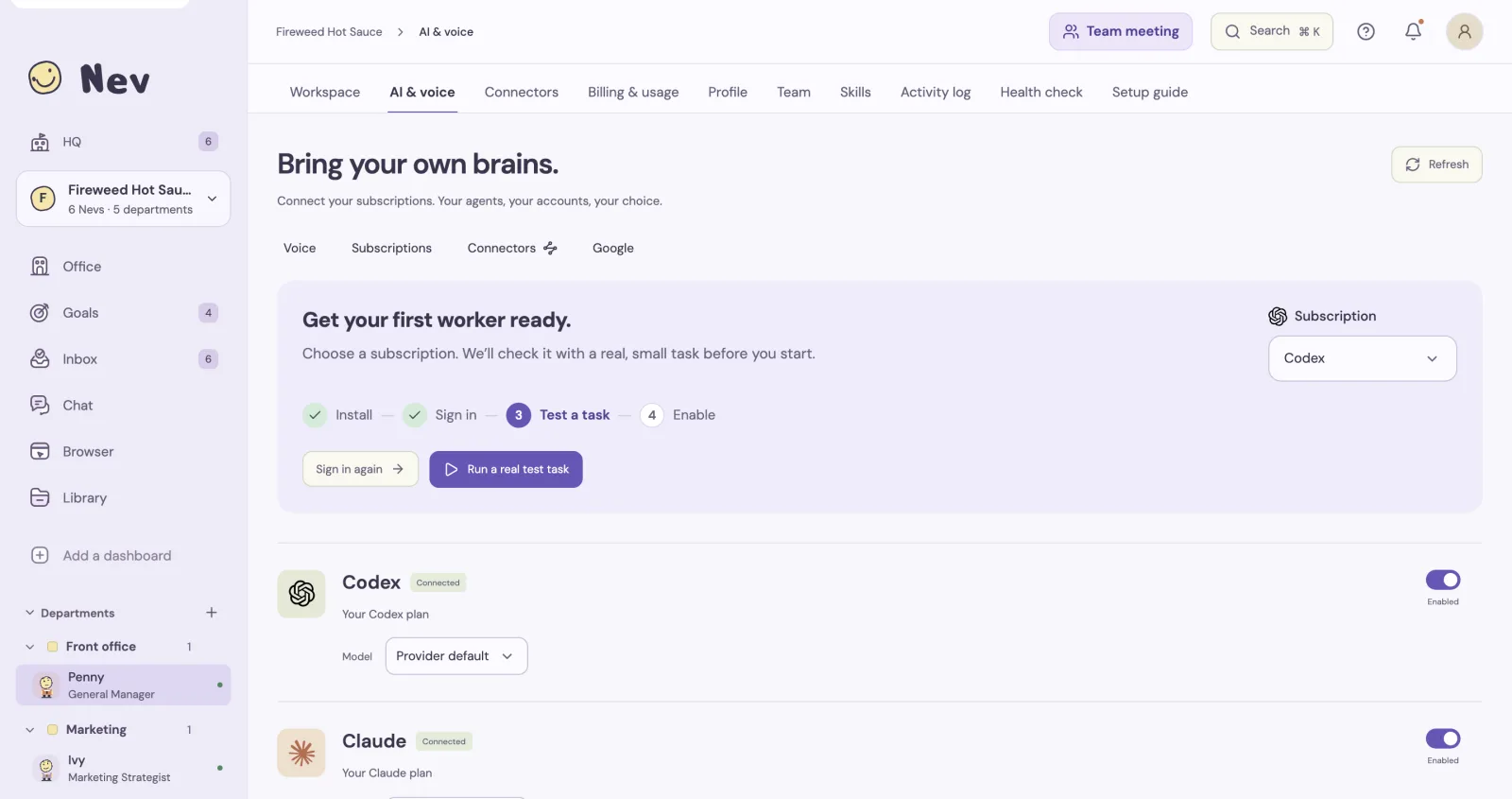
Nev doesn't ask for your Claude password. It runs Claude Code, Anthropic's own tool, on your Mac, signed in with your own Claude account.
Claude Code signs in with the same Claude account you already use. Nev's setup walks you through it, then you switch the connection on in Settings, under AI & voice.
Before your first goal, Nev sends a small, real test. If the sign-in has expired or your plan is out for now, it says so and shows you how to fix it.
Brief your manager in plain English. It splits the job between specialist Nevs and checks their work before it reaches you. Meet the team.
Claude Code's own tools are switched off inside Nev. Anything that sends, spends, publishes or deletes goes through Nev and waits for your yes. How approvals work.
Keep paying Anthropic for Claude exactly as you do today. Nev is a separate, flat price for the office, from $9 a month in US dollars, with a free plan and a 14-day trial of the full Nev plan.
See every plan on the pricing page.
Nev doesn't bring its own AI allowance. Work your Nevs do through Claude Code draws on your Claude plan, the same way Claude Code would on its own.
Anthropic shares usage limits across Claude and Claude Code. Your chats, your own Claude Code use and your Nevs all draw from the same allowance.
When your plan is out for now, the Nev doing the job says so: its face changes and it lands in your inbox. No silent spinning, and no switch to paid API use.
A routine can wait for a dashboard number to change before it starts. That check runs without AI, so nothing is used until there's work.
You don't need to know how to code. Claude Code is the engine; you just brief your manager like you would a person.
Competitors, suppliers and markets, browsed live and written up as a report you can change. See research.
Landing pages, rewritten copy and fixed links, checked on phones first and published only when you say. See websites.
Weekly numbers, onboarding guides and supplier follow-ups, done on a schedule. See operations.
Invoice reminders and sales summaries, prepared for you to check. Nothing is paid or sent without you. See finance admin.
Nev also works with your ChatGPT plan, through OpenAI Codex. Connect one or both, and your manager picks whichever connection is healthy for each job. If one plan hits its limit, your manager can turn to the other.
Claude, Claude Code and their logos belong to Anthropic, and ChatGPT belongs to OpenAI. Nev isn't affiliated with Anthropic or OpenAI.
Brains plugged in
Your manager chooses from the connections that are switched on and working, job by job.
Nev doesn't log you in to Claude itself. It runs Claude Code, Anthropic's own tool, on your Mac, and you sign in to Claude Code with your own account. As of October 2026, Anthropic includes Claude Code with its Pro and Max plans; see Anthropic's help article for the current details.
Yes. Usage counts towards your Claude plan's limits, shared with your chats in Claude and any other Claude Code use. When you hit a limit, the Nev doing the job tells you, and if ChatGPT is connected too, your manager can use that instead.
No. Nev never adds an AI bill and never switches you onto pay-as-you-go API billing. You pay Anthropic for Claude as now, and Nev's own plan, from $9 a month in US dollars.
Cowork is Anthropic's own agent inside the Claude desktop app. Nev is built differently: a manager who plans and checks the work, a team of specialist Nevs in an office you can watch, routines, the option to plug in ChatGPT as well, shared projects on Team Nev, and approvals for every outside action. If Cowork already covers what you need, that's fine too.
No. Claude Code does the thinking behind the scenes, but you never type commands. You tell your manager what you want in plain words, and the team reports back in plain English.
Your projects and files stay on your Mac. What a Nev sends to Claude to do the work follows Anthropic's terms, just like when you use Claude yourself. More in our privacy policy.
Free for 14 days, on the AI plan you already pay for. Nothing sends, spends or publishes until you say so.