Email and customers
Gmail Outlook Intercom Calendly
Connectors
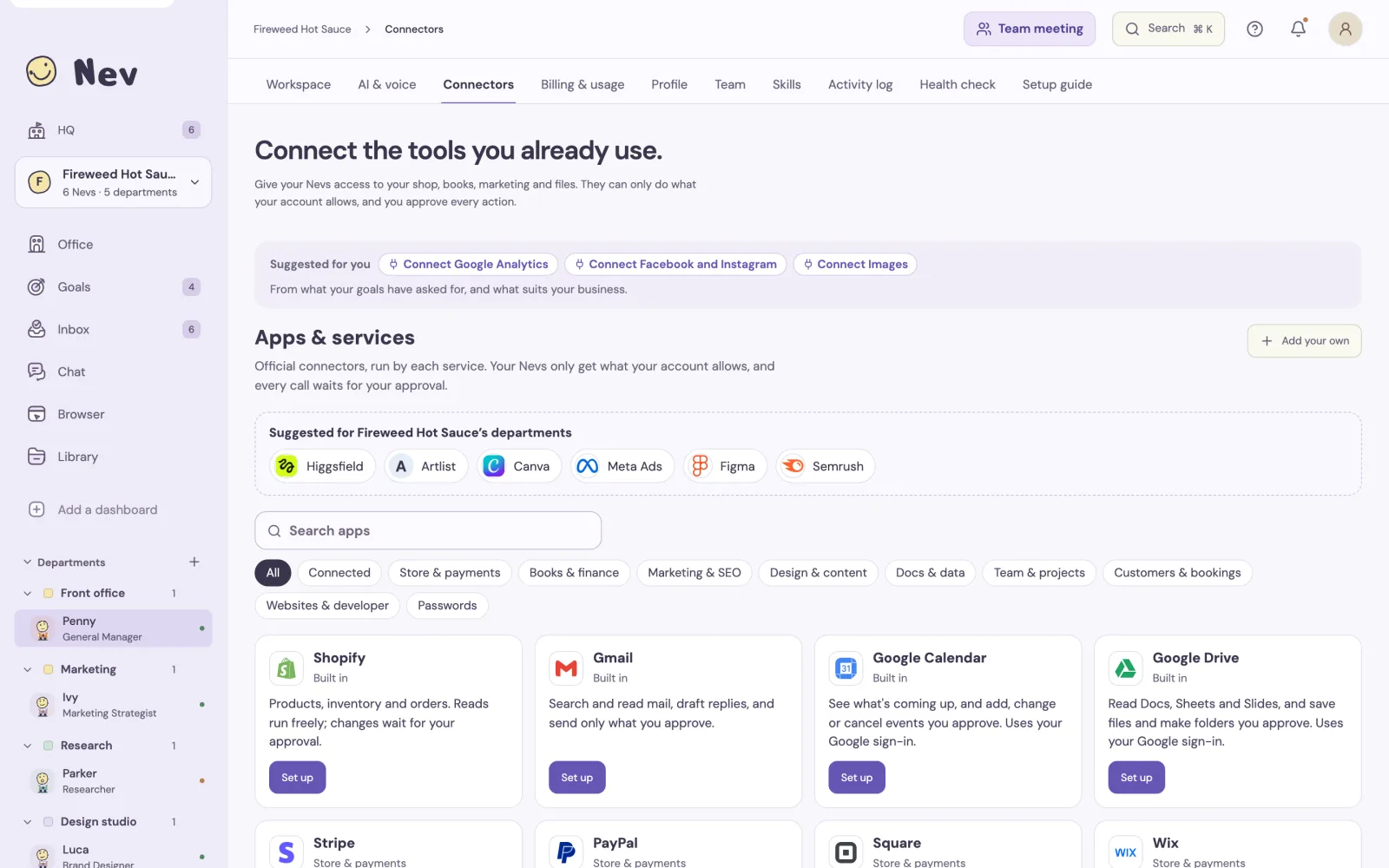
Connect your Nev team to Gmail, your store, your books and the rest of your toolkit. You sign in with your own account, Nevs only get what that account allows, and every outside action waits for your approval.
Gmail is built in. Sign in with your Google account and your Nevs can search and read your mail as part of a job, and write reply drafts in your voice. When a reply is ready, they ask to send it, showing the exact recipients, subject and body.
See it at work in customer email.
Ready to send
About 30 official connectors, grouped the way your business is. Nev suggests the ones that fit your departments.
Gmail Outlook Intercom Calendly
Shopify Stripe PayPal Square
Xero MYOB FreshBooks
Meta Ads Instagram Facebook Google Analytics Search Console Klaviyo Mailchimp Semrush Ahrefs
Canva Figma Higgsfield ElevenLabs
Google Sheets Excel OneDrive Notion Airtable Dropbox
Linear Jira & Confluence monday.com Zapier
WordPress Wix Webflow Netlify Vercel GitHub Supabase Cloudflare Sentry
No API keys to hunt for, for most of them. You sign in the same way you always do.
Every connection is off until you add it. Each department shows the tools it's likely to need.
The service's own login page opens. Once you're in, the card flips to Connected and Nev comes back to the front.
They only get what your account allows. Your AI plan doesn't sign them in to anything; each service is its own sign-in.
For these connectors, each call is shown to you before it runs, reads included. Anything that changes something always waits. How approvals work
Shopify and Xero only allow one-click sign-in for apps they've approved, so Nev walks you through a one-time setup instead. You create a small app connection in your own account, paste in its details, and Nev stores them encrypted on your Mac.
Shopify · waiting for you
Change “Smoked Chilli 250 ml” from 12 to 40 in stock?
Got a custom CRM or an in-house tool? “Add your own” on the Connectors page covers three cases.
Many services now publish an MCP address, a standard way for AI agents to use them. Paste it in, then sign in with your account or an access key.
Give its address and key. The key stays encrypted, Nevs never see it, and it's only sent to that address. Creates, updates and deletes always wait for you.
Point Nev at a program on your Mac, with any settings it needs kept encrypted and given only to that program.
Some services only accept apps they've approved in advance, so they aren't in Nev yet. We'd rather say so than pretend. (Google Calendar and Drive aren't on this list: they come with Nev's own Google sign-in, above.)
HubSpot Slack Asana QuickBooks DocuSign Box
Free Nev includes five connectors; paid plans have no limit. Compare them on the pricing page. Names and logos belong to their owners, and Nev isn't affiliated with them.
Passwords, handled carefully
Connect Bitwarden and Nevs can find the right login by name, username and website.
Gmail is built in, and there are about 30 official connectors, including Shopify, Xero, Stripe, Canva, WordPress, Notion and Meta Ads. Anything with an MCP link or an API can be added yourself.
Yes. Nevs can search and read your Gmail and draft replies, and look up Shopify products and orders. Sending an email or changing your store always waits for your approval. See it in marketing and customer email.
MCP, the Model Context Protocol, is a common standard that lets AI agents use an app's tools. If a service gives you an MCP address, you can add it in Nev under “Add your own” and sign in with your account.
Nothing. Sending, posting, spending, updating and deleting always wait for you, and for most connectors every call is shown to you first, reads included.
Remove it in Settings, then Connectors, on your Mac. You can also revoke Nev's access from the service's own account settings, which cuts it off at the source.
Free for 14 days, on the AI plan you already pay for. Nothing sends, spends or publishes until you say so.