Sales and customers
An AI email assistant for customer service that never sends without you
Your Nev team reads your Gmail or Outlook, drafts a reply to every customer in your tone and follows up the leads who went quiet. Each one waits for you to read. Nothing reaches a customer until you approve it.
Customer jobs people hand over
Replies, lead lists and proposals. The writing gets done; the sending stays with you.
-
Sales and customers
You say: “Draft replies to this week's customer emails.”
You getA reply to each email in your tone, lined up in Nev for you to read. Nothing is sent until you approve it.
Works in:
 Gmail
 Outlook
-
Sales and customers
You say: “Find 30 local gyms that might stock our protein bars, with contact details.”
You getA researched lead list in a spreadsheet, with sources, and a first email you can send to each.
Works in:
 Google SheetsGmail
-
Sales and customers
You say: “Write a proposal for the Henderson renovation from my notes.”
You getA clear, priced proposal as a document and a PDF, ready for you to check and send.
Works in:
 Google Drive
 OneDrive
How a week of customer emails gets answered
Set the rules once. After that, the drafts are waiting when you sit down.
-
Connect your inbox
One Google or Microsoft sign-in. Nevs can read your mail to understand each conversation. Sending always waits for you.
-
Brief the rules once
Say how replies should sound, when to offer a replacement and what never to promise. Your office remembers it, so every reply starts from the same rules.
-
The team drafts and checks
One Nev drafts each reply. Another checks names, prices and promises against your files, and against your Shopify orders if you've connected the store.
-
You read, tweak and approve
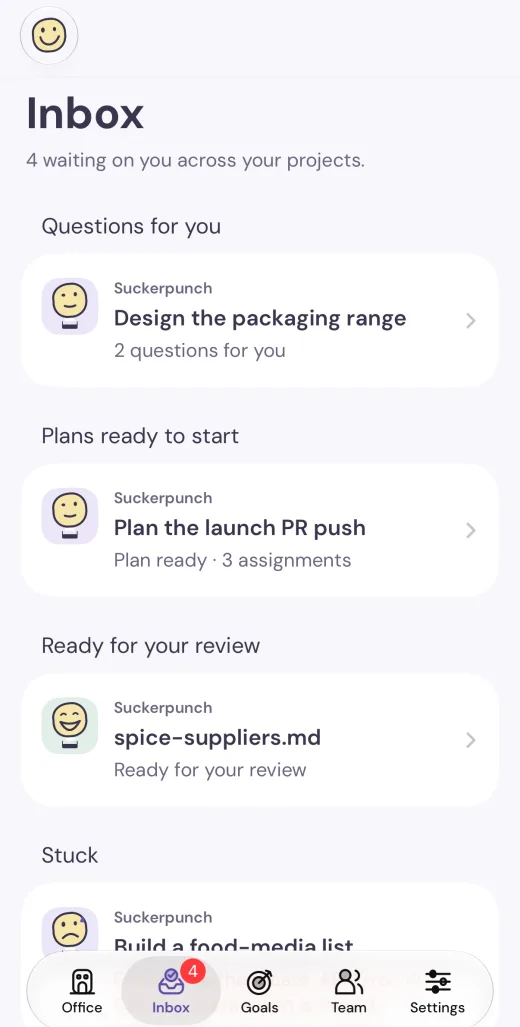
The drafts arrive in one report. Ask for changes to any reply, then tick the ones that should go. Do it from your Mac, or from your phone with the mobile app.
What waits for your approval
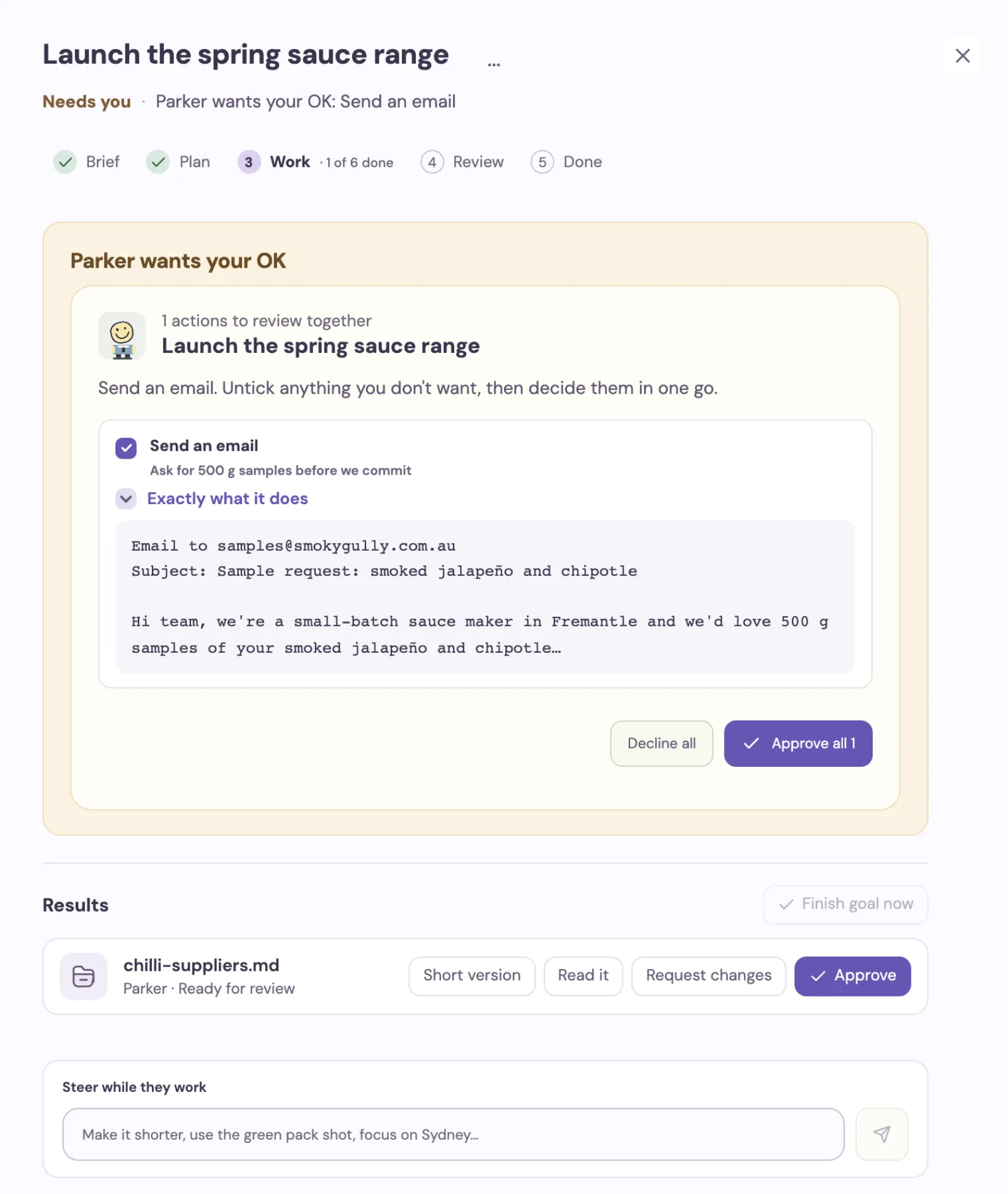
Reading is free. Anything a customer will receive is prepared, held and shown to you exactly as it will go out. That's the whole point of human in the loop AI, and it's how approvals work in Nev.
- Every reply and every new email, from Gmail or Outlook.
- Follow-ups to leads, one by one or as a ticked list.
- Proposals and quotes, before they're sent.
- Any change to a Shopify order or customer, with the exact change shown.
Tools that help with customers
Connect the inbox and the places your customer details live. Nevs only get what your account allows.
Gmail Outlook Shopify Google Sheets Excel OneDrive
Intercom and Calendly are on the connectors page, and you can add your own CRM if it has an API.
Carlos · Quiet leads
“Follow up anyone who asked for the wholesale price list and didn't reply.”
- Finds the threads in Gmail
- Drafts a short, friendly nudge for each
- Penny checks names and prices Checked
- Each one waits for your yes Your turn
Questions about AI for customer email
Can AI answer customer emails for me?
It can write the answers. Your Nev team reads each email, drafts a reply in your tone and checks it against your files. You read it and decide whether it goes.
Will AI send replies automatically?
Not with Nev. Every email is held until you approve it, exactly as written. You can approve one at a time or tick a batch when you accept the report.
How does AI learn my tone?
From what you give it. Point the team at a few emails you were happy with and add your rules, like “first names, no exclamation marks”. Your office keeps them, and you can ask for changes to any draft.
Is it safe to give AI my inbox?
Nevs only get what your account allows, and nothing is sent without you. Your projects and files stay on your Mac; what a Nev sends to ChatGPT or Claude to do the work follows their terms. You can switch the connection off at any time.
Can AI follow up leads who go quiet?
Yes. Ask the team to find conversations that stalled and draft a follow-up for each. Make it a weekly routine and the drafts turn up on their own, still waiting for your yes.
Does it work with my CRM?
If your CRM has an API, you can add it yourself under Connectors; reads can run straight away and every change waits for your approval. HubSpot isn't available yet.
Keep exploring
Your new team is waiting by the door.
Free for 14 days, on the AI plan you already pay for. Nothing sends, spends or publishes until you say so.