A manager and a team
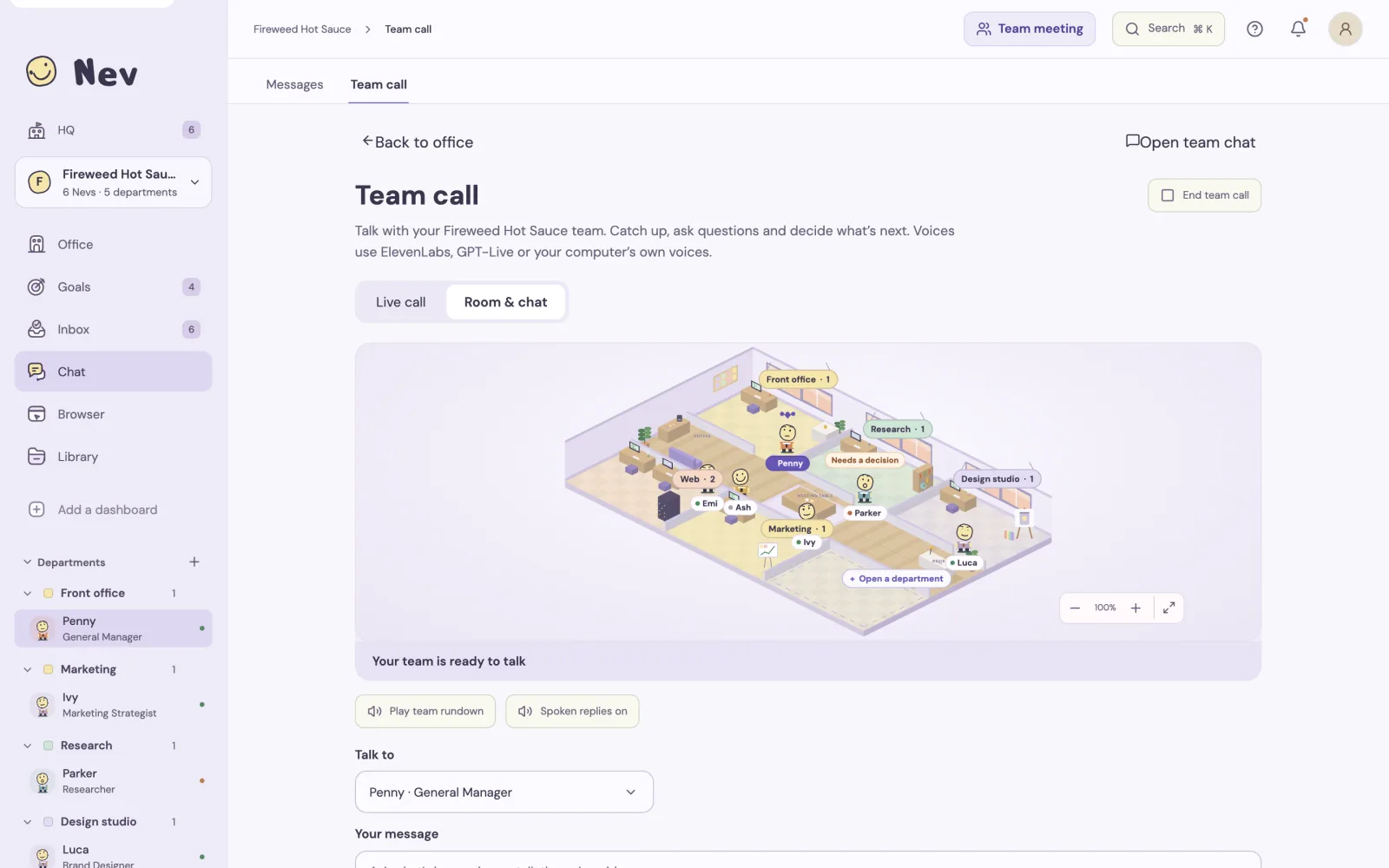
Penny plans the job, hands each part to a specialist, checks the work and reports back. Meet your AI team
Features
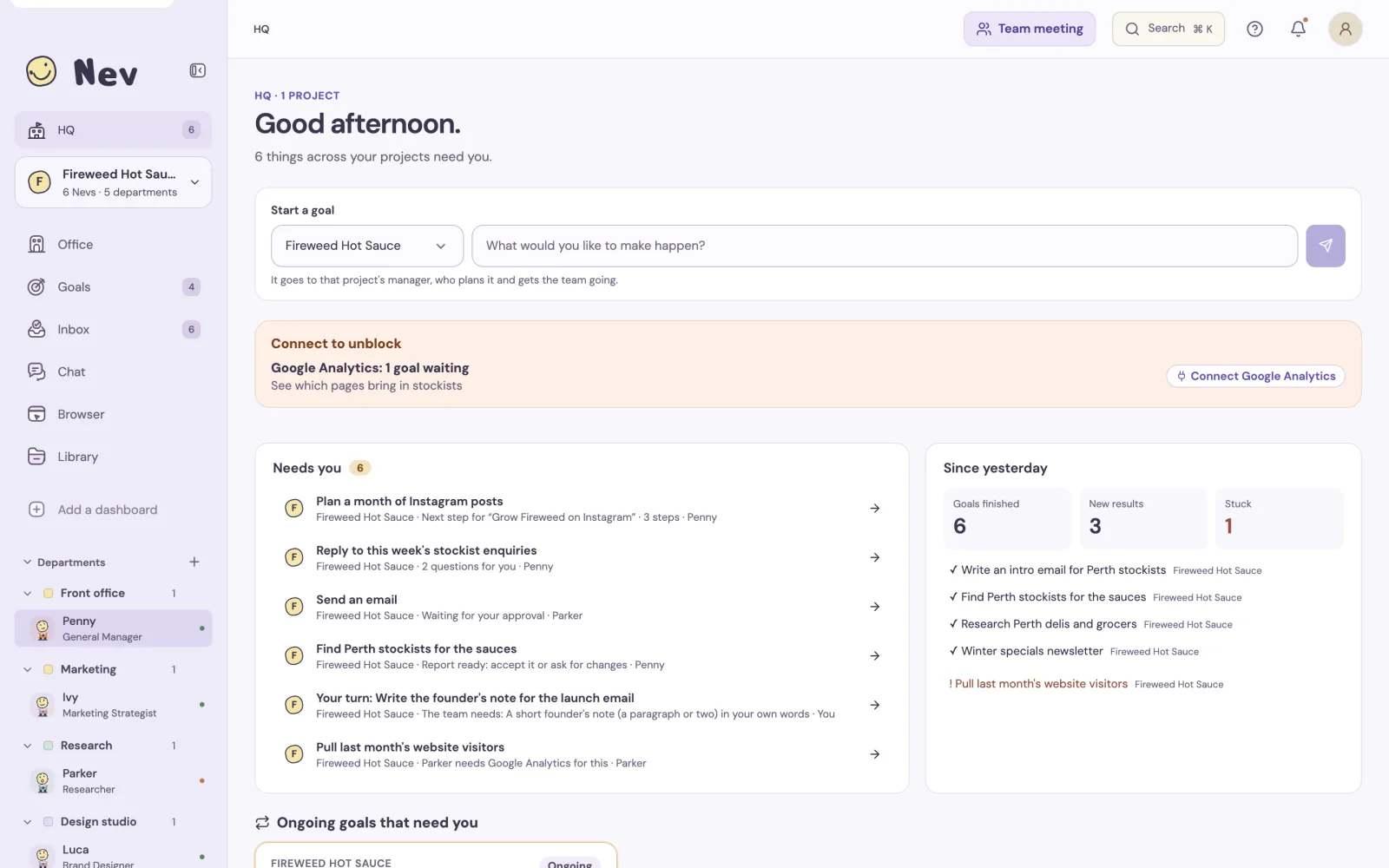
Nev is a team of AI workers in a little pixel office on your Mac. Tell the manager what you need. The team plans it, does it, checks it and reports back. Anything that sends, spends or publishes waits for your yes.
A chatbot gives you an answer to copy and paste. Nev gives the job to a team that finishes it.
Ask in plain words, as you would a colleague. Point at files or folders and the team starts with the full picture.
The plan splits the job into steps, gives each one to the right specialist, and hires a new Nev if one is missing.
They research, write, design and build, then pass their work along. Real checks run for broken links, spelling and phone layouts.
Change any part, or accept it. Emails and posts the team prepared go out only when you tick them.
Each of these has its own page with the details. The rest are further down this one.
Penny plans the job, hands each part to a specialist, checks the work and reports back. Meet your AI team
Nothing sends, spends, publishes or deletes until you say yes, and you see exactly what goes out first. How approvals work
Work that runs by itself on a schedule: the Monday numbers, the SEO check, next week's posts. See scheduled AI tasks
Watch a Nev browse, take over to sign in, preview the site it's building and point at what to change. Try the live browser
Gmail, Shopify, Xero, Canva, WordPress and more, each signed in with your own account. See every connector
Check in, answer questions and approve emails and posts from your iPhone. Coming soon. The phone apps
Each face comes from what that Nev is really doing: focused means working, worried means stuck, delighted only once the work is checked and done.
A demo office with example Nevs and tasks. Yours fills up with your own projects.
Every goal ends with your manager reporting back in plain English: what the team found, what it did and what it assumed along the way. It isn't a wall of chat. It's a short page with a summary, the findings and anything waiting to go out.
AI that does tasks for you will sometimes hit a wall: a sign-in only you can do, a password it shouldn't have, a question only the owner can answer. When that happens, the Nev doesn't spin quietly or make something up.
Documents, designs, videos and websites are saved in your Library, on your own Mac, with every version kept. Compare two versions, or bring back an older one without losing what came after.
Library · Fireweed Hot Sauce
Pull up a chair. Pick who's coming, and the Nevs gather round the office table to give their updates from what they've actually done. Ask questions, settle decisions, then turn the notes into the next plan for your manager.
Your Nevs think with your own ChatGPT plan, through OpenAI Codex, or your Claude plan, with Nev running Claude Code on your Mac with your own sign-in. Usage counts towards that plan's limits. Nev never adds an AI bill and never switches you onto pay-as-you-go API billing. More on ChatGPT, Claude and pricing, or see what people hand over in use cases.
Yes. AI agents can do whole jobs, not just answer questions. Nev gives you a team of them on your Mac: a manager that plans the job and specialists that research, write, design and build, then check the work and report back. Anything that leaves your business waits for your approval.
If it can be researched, written, designed, built or tracked on a computer, it's worth asking. Think supplier shortlists, social posts, customer reply drafts, landing pages, weekly reports and website checks. See real examples by business area in use cases.
The Nev says so. Its face turns worried and the problem lands in your inbox, and on your phone, with what it needs from you, such as a sign-in or an answer. It doesn't pretend the work is done.
Yes. Ask for changes to any part of the report and the team reworks just that part. When you're happy, accept it.
Into your Library, on your own Mac, with every version kept. A goal's files join the Library when you accept its report. What a Nev sends to ChatGPT or Claude to do the work follows their terms.
No. Nev uses the ChatGPT or Claude plan you already have, and usage counts towards that plan's limits. Nev itself has a free plan and paid plans, listed on the pricing page.
Free for 14 days, on the AI plan you already pay for. Nothing sends, spends or publishes until you say so.