Tell your manager what you want. It
makes a plan,
hires the right specialists, and the team
does real research, design, websites and ads on your Mac, using
the ChatGPT, Claude or Gemini plan you already pay for. Nothing sends, spends or publishes
until you say yes.
A demo with example briefs. Click the buttons in your inbox: nothing actually goes out.
A living office. Every face tells the truth.
Each Nev’s face comes from what it’s really doing. Focused means working. Worried means stuck. Delighted
only shows up once the work is checked and done. Click a Nev to see what it’s up to.
A demo office with example Nevs and tasks. Yours fills up with your own projects.
One sentence in. Real work out.
You stay the boss. Nev handles the org chart.
Tell your manager what you want.
Type it in plain words, the way you’d tell a person. Your manager asks a couple of sensible questions
before anyone starts, so nobody runs off in the wrong direction.
ToGeorge · General Manager
Files stay local
George got it. Planning now.
Approve the plan.
You get a plan with assignments, checkpoints and any new hires spelled out. Change who does what, save
it for later, or start the team.
Your planReady to review
1Find chilli suppliersParker · Shortlist with prices
2Label and packaging conceptsHire a Brand designer
3Build the shop frontPenny · Working website
4Draft launch adsHire a Marketing strategist
Starting the team hires 2 new Nevs, on the same subscriptions and permissions.
Save planStart the team
The team gets to work.
Nevs research, write, design and build side by side. You can watch any of them, read along, or jump
in. Everything they make lands in your project library, versioned.
Parker compared 14 supplier pagesWorking
Penny saved shop/index.html, version 3Working
Nico has a question about the labelsNeeds you
Ivy checked every product linkDone
You say yes to anything that matters.
Sending an email, spending money, publishing a page or deleting something always waits for you. Go on,
try it. Nothing is actually sent.
Sam wants to send an emailWaiting for you
To samples@example-spice.com.au
Subject Sample request: smoked paprika and chilli
Hi team, could you send 500 g samples of…
Everything an office needs. Minus the kitchen roster.
Watch a Nev browse. Or grab the wheel.
See exactly what a Nev is doing in its browser, take over to sign in somewhere, preview the site it’s
building, then point at the page and tell it what to change.
preview.brian/fireweedPenny is driving
FireweedSaucesStoryCart
Small batch. Big heat.
Hot sauce made in Fremantle.
Shop the range
Penny
An example site Penny is building.
Goals and plans you approve.
Every goal starts as a conversation and becomes a plan you can read, edit and start when you’re ready.
Demo: a goal appears, the manager builds a four-step plan including a new hire, you approve it, and each step works through to done.
Stuck? It tells you.
When a Nev is blocked or has a question, its face says so and it lands in your inbox. No silent spinning.
Milo is stuckNeeds you to sign in to Xero
Nico has a questionMatte or gloss labels?
Dev is waitingApprove 3 ad drafts
Penny finished the shop frontReady for your review
A library of everything they make.
Documents, designs and websites, all kept locally on your own computer with every version. Restore any of them.
supplier-shortlist.mdv2
label-matte.pngv4
shop/index.htmlv3
launch-ads.mdv1
Pull up a chair.
Hold a team meeting by voice or text, hear everyone’s update, and turn the decisions into the next plan.
Plugged into the tools you already use.
Nevs only get what your account allows, and every change waits for your approval.
Works with these services. Names and logos belong to their owners; Nev isn’t affiliated with them.
Shopify
Gmail
Meta Ads
Canva
Higgsfield
ElevenLabs
WordPress
Xero
Stripe
Wix
PayPal
Square
MYOB
FreshBooks
GitHub
Your office, in your pocket.
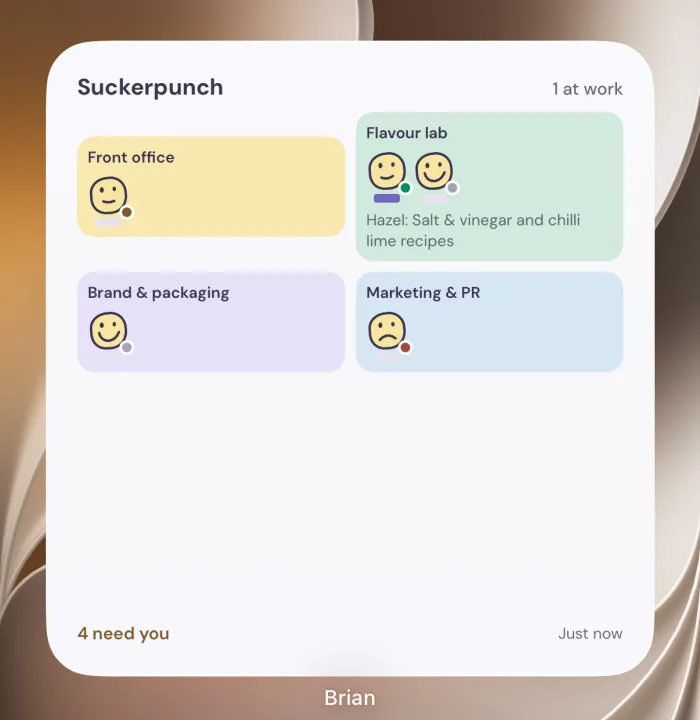
Check progress, answer questions, start plans and approve finished work from your iPhone, and glance at a
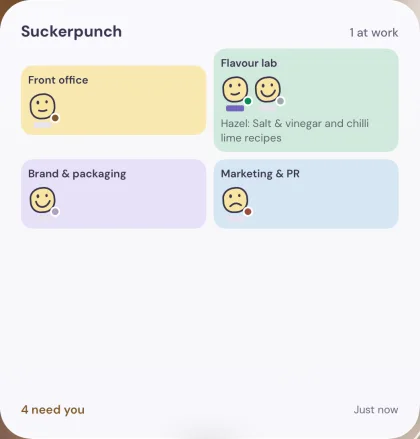
widget to see who needs you. Anything that sends, spends or publishes is still approved on your Mac.
Lives on your Mac. Pops into your pocket.
The office runs on your computer, right next to your files. Your phone pairs with it over your own network, so you stay in the loop when you step away.
Your own network
Mac Coming soon
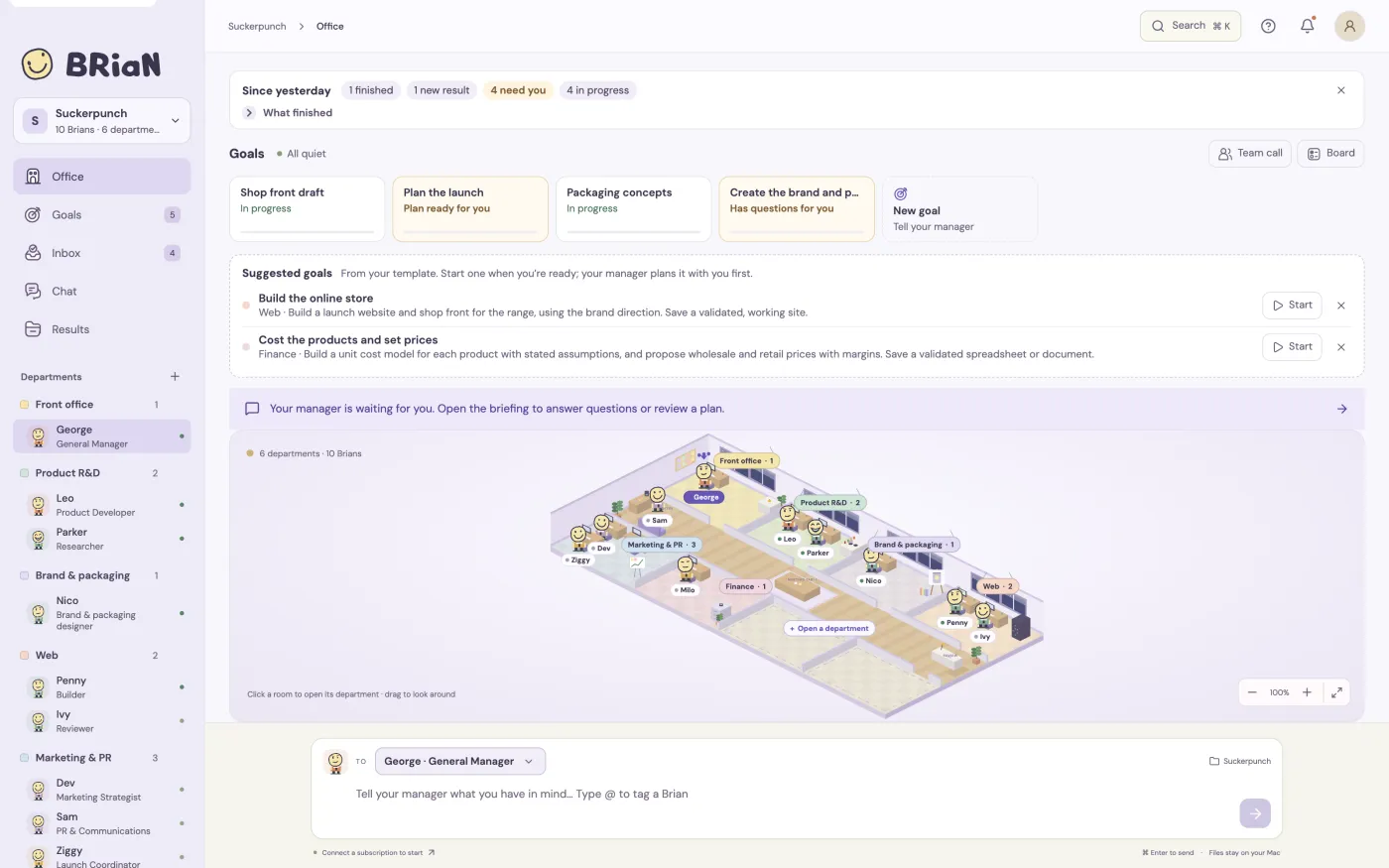
The whole office: your Nevs, goals and plans, the library, the live browser and every approval. Everything runs and saves locally.
Picture: the Nev Mac app showing the office, goals and departments.
iPhone Coming soon to the App Store
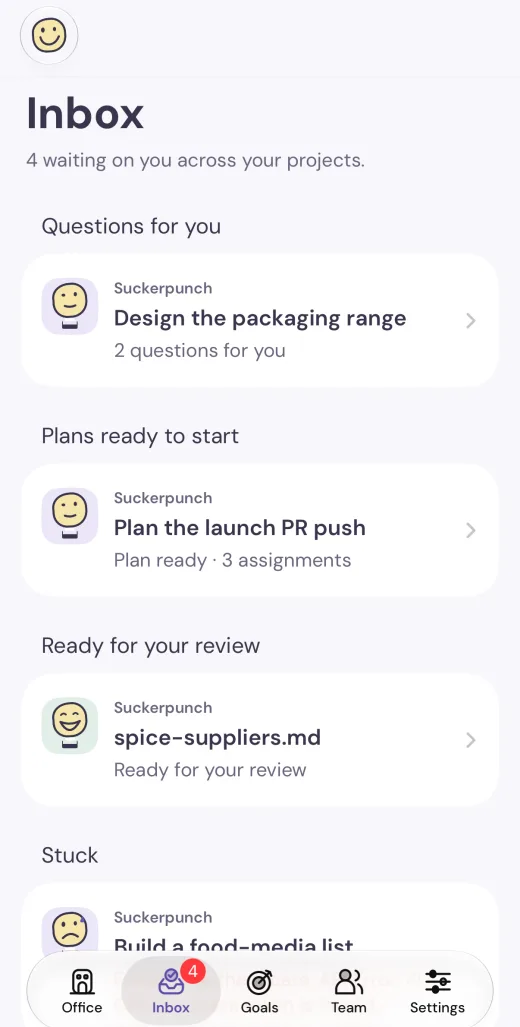
Pair it with your Mac to see your office, answer questions, start plans, approve finished work and talk to your team. Home screen widgets show who needs you.
Anything that sends, spends or publishes is still approved on your Mac.
Picture: the iPhone app’s inbox with questions, plans and results waiting, and a home screen widget.
Coming soonMeasuring up.
Android Coming soon
A companion for Android phones is on the drawing board.
Coming soonStill sanding the corners.
Windows Coming soon
The full office for Windows PCs is on the list, after the Mac.
The whole office on your Windows 10 or 11 PC, with widgets for the Windows 11 widgets board.
Your Nevs think with the AI plan you already pay for: ChatGPT through OpenAI Codex, Claude through Claude
Code, or Gemini through Gemini CLI. Plug in one, two or all three, and your manager uses whichever is healthy for each job.
Nev never adds an AI bill of its own, and never quietly switches you onto pay-as-you-go API billing.
Your monthly receipt
Your AI plans
Same as now
Brains plugged in
0 of 3
Nev
From $9
Surprise AI bills from Nev
$0.00
Brain powerRunning on empty
zzz
On the way
Just for fun: this doesn’t sign you in to anything. You connect your own plans inside the Mac app. Names and logos belong to their owners, and Nev isn’t affiliated with them.
Pick your Nev.
Every plan starts with a 14-day free trial of the full Nev plan.
US dollars. Tax is added at checkout where it applies. Your AI subscription
stays separate, exactly as it is now.
MonthlyYearly 2 months free
You buy and manage your plan inside the Mac app after you sign in.
Questions, answered.
How does the free trial work?
Every plan starts with 14 days free. During the trial you get the full Nev
plan, so you can try the whole office: unlimited projects, the live browser, every connector and the
iPhone app. You start it inside the Mac app after you sign in. Not ready to pay? Free Nev is yours
for as long as you like: one project and three Nevs, no card needed.
What happens if I cancel?
You manage your plan from Billing inside the app. Without a plan you're back on Free Nev: your office,
files and history all stay on your computer, and you can keep working with one project and three Nevs.
Which AI plans work with Nev?
Nev works with your own ChatGPT plan (through OpenAI Codex), Claude plan (through Claude Code) or Gemini
plan (through Gemini CLI). You sign in to the ones you have, and your manager chooses from the connections
that are healthy. Nev never switches you to pay-as-you-go API billing behind your back. More models,
like DeepSeek, Mistral, Llama, Grok, Qwen and Kimi, are on the way.
A few extras, like spoken team meetings with ElevenLabs or GPT-Live voices, use your own keys. They stay
off until you turn them on and set a limit.
Where do my files go?
Your projects, files, history and memory stay local, on your own computer. The AI provider you choose sees what a Nev
sends it to do the work, just like when you use it yourself. On Team Nev, only the project details and
channels you explicitly share are visible to your team.
What needs my approval?
Anything that sends, spends, publishes or deletes. Nevs can read and research freely, but an email,
purchase, post or change to a connected account waits until you approve that exact action.
Do I need a Mac?
Yes, the office runs on a Mac. Windows and Android are coming soon, but they aren’t ready yet. The iPhone app,
coming soon to the App Store, is a companion: it pairs with the Nev on your Mac over your home network or
a VPN.
Your new team is waiting by the door.
The Mac app is nearly ready. Leave your email and the Nevs will hold the door for you.
14 days free. Sign in, connect your AI plan and meet your manager.