Penny, the manager
Plans every goal, settles the team's questions and notes what she assumed, then signs the work off before it reaches you.
Your AI team
Tell your manager what you need. It plans the job, hands each part to a specialist AI worker, checks their work and reports back in plain English. You don't build anything. The team is ready when you open the app.
To Penny · General Manager
“Find Perth stockists for the sauces and write to the best three.”
One manager, a handful of specialists, and a clear trail of who did what.
Type it in plain words, the way you'd tell a person. Point at files or folders with @ so the team starts with the full picture.
It breaks the job into steps, decides which steps depend on which, and gives each one to the Nev best suited to it. If nobody fits, the plan says it will hire one.
The researcher passes the shortlist to the writer, with notes. The designer passes the labels to the web builder. Each hand-off is saved, so you can read along.
Nevs review each other's work, and real checks run for broken links, spelling and phone layouts. A step only counts as done when the file is saved and checked.
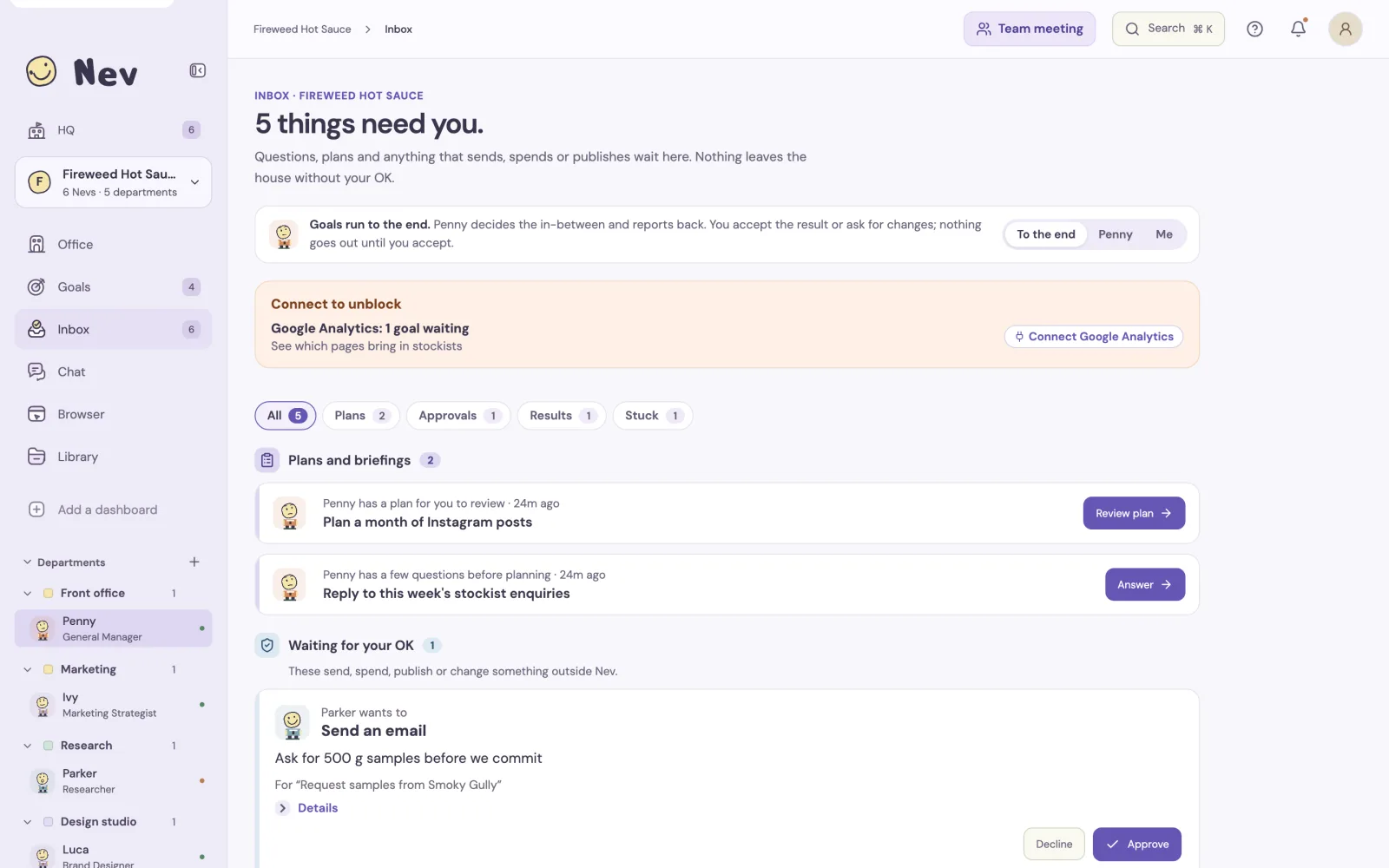
What the team found, what it did and what it assumed. Change any part, or accept it. Anything going out waits for your approval.
The manager breaks the goal into steps, hires a specialist if the job needs one, and the team works through it. You accept the report at the end.
Demo: a goal appears, the manager builds a four-step plan including a new hire, the team works through every step, and you accept the report so its files go into your Library.
Your team lives in a pastel pixel office, sorted into departments: front office, marketing, research, design, web. Each Nev's face comes from what it's really doing, not from a progress bar that keeps everyone looking busy.
Every worker is called Nev, and each one has a name, a job and a desk. Here's the sample office, as an example.
Plans every goal, settles the team's questions and notes what she assumed, then signs the work off before it reaches you.
Browses, compares and writes up what he found, with the sources. See research.
Posts, ads, newsletters and articles in your brand voice. See marketing.
Labels, landing pages and shop fronts, checked on phones and desktops. See websites.
When a job needs a skill your office doesn't have, the manager proposes a new hire in the plan, such as a brand designer, a marketing strategist or an SEO specialist. Start the plan and they move into a desk, keeping their name, notes and personality between sessions.
Penny's plan · Spring sauce launch
By default a goal runs to the end. The manager plans it, makes the small calls, writes down what it assumed and reports back. You only hear from it mid-goal when it needs something only you can give, like a sign-in.
Rather approve the plan first and answer the team's questions yourself? Switch a project, or a single goal, to “Check in with me”. And for work that should happen every week, turn the goal into a routine that runs on a schedule.
It's several AI agents working on one job, each with its own role, passing work between them. In Nev, a manager agent plans and checks, and specialist agents research, write, design and build. For how agents differ from chatbots, read AI agents vs chatbots.
It turns your brief into a plan of steps, works out which steps depend on others, and assigns each to the best-suited Nev, hiring one if needed. As each Nev finishes, its work and notes are handed to the next.
Yes. Hire new Nevs, rename them, change their job, desk and how they write. Free Nev comes with three Nevs; paid plans add more. See pricing.
Nevs review each other's work and run real checks, such as broken links, spelling and phone layouts. A step isn't marked done until its file is saved and checked, and you can open any Nev to see what it did.
No. There are no flows to draw or prompts to write. Your office comes with a manager and a team, and the manager hires the rest. You just say what you need.
Your own ChatGPT plan, through OpenAI Codex, or your Claude plan, with Nev running Claude Code on your Mac with your own sign-in. Usage counts towards that plan's limits, and Nev never adds an AI bill.
Free for 14 days, on the AI plan you already pay for. Nothing sends, spends or publishes until you say so.